
Stage 01 / 10
Order in
A delivery job is created
A dispatcher creates it in the console, or an ERP shipment arrives through the integration gateway — idempotent on the ERP document, so a re-sent event never makes a duplicate.
Powered by
Self-hosted fleet operations platform · Saudi Arabia
CHERT Fleet takes every delivery job from the moment it is created — by a dispatcher, a customer or an ERP shipment — through assignment, routing, live tracking and proof of delivery, into the KPIs your operation runs on. Drivers work from the ChertGo app; everything runs on your own servers, in English and Arabic.
Three ways in
Operators run the day from the console. Drivers do the whole job from their phone. ERP owners keep their system of record and let CHERT Fleet run the road.
Create and import jobs, assign the right driver and vehicle from ranked candidates, watch every truck on a live map and read the KPIs — in one bilingual console.
ChertGo shows your offered jobs, lets you accept or decline with a reason, guides you to pickup and drop-off and captures proof at the door — in your language.
A completed shipment becomes exactly one delivery job; the outcome and its evidence come back to close the shipment. Commercial data never leaves your ERP.
The delivery lifecycle
Ten recorded stages, from the order to the KPI. Every transition is stamped with its actor, its time and the order version. Select a stage to see what happens — and which parts of CHERT Fleet make it work.
Stage 01 / 10
A delivery job is created
A dispatcher creates it in the console, or an ERP shipment arrives through the integration gateway — idempotent on the ERP document, so a re-sent event never makes a duplicate.
Powered by
Stage 02 / 10
Distance, route and planned arrival
ChertRoute computes the route on the Saudi road graph; the planned arrival is stored on the assignment so every later estimate can be measured against it.
Powered by
Stage 03 / 10
The right driver, the right vehicle
Candidates are ranked by availability and distance; only active, available drivers are eligible. Assign or re-assign in one click — the dispatch engine mirrors it immediately.
Powered by
Stage 04 / 10
The driver says yes — or why not
The offer appears in ChertGo with an acceptance window. Declines carry a reason; offers nobody accepts in time expire automatically and return to the queue.
Powered by
Stage 05 / 10
Arrival and loading, stamped
Arrival at the pickup point and the pickup itself are recorded from the phone; shipment units move from pending to loaded.
Powered by
Stage 06 / 10
Live position, live ETA
The phone reports positions on the way; ChertTrack keeps the history, the map shows the vehicle, geofence events fire and the ETA is refreshed against the plan.
Powered by
Stage 07 / 10
At the door
Arrival at the drop-off is stamped, the dispatcher sees it on the board and the right people are notified in their language.
Powered by
Stage 08 / 10
Photos, signature, barcode
Proof is bound to the authenticated assignment and completes the order; files are stored privately and served only through short-lived signed links.
Powered by
Stage 09 / 10
The ERP hears back
A durable outbox posts the outcome — delivered or failed, with times and evidence — back to the ERP and retries until it lands. The dispatch mirror closes too.
Powered by
Stage 10 / 10
KPIs that close the loop
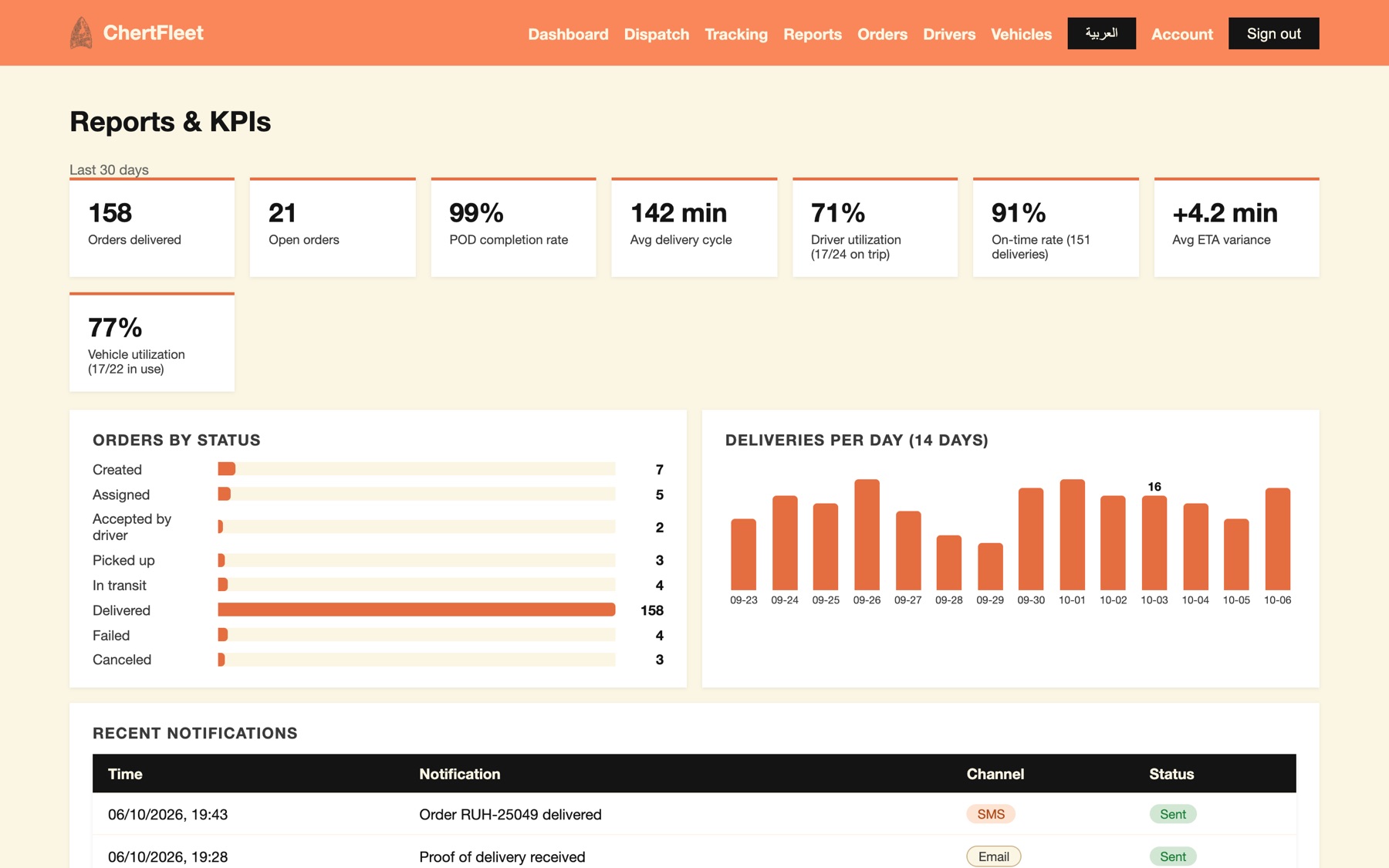
On-time rate, ETA variance, delivery cycle time, POD completion and driver and vehicle utilisation — computed from the same records, every day.
Powered by
Interactive architecture
Select any component to learn what it does, or play a journey and watch a delivery move through the platform.
Where work enters and where people act on it.
The business rules: every order, assignment and proof lives here.
Four open-source engines behind adapters — replaceable, internal-only.
What the operation learns, and what flows back to the ERP.
Every caller known, every command recorded.
Keeping the platform healthy and recoverable.
Details appear in the panel above the diagram.
Every function, at a glance
No modules to bolt on. Every capability below shares one order, one driver and one audit trail.
One platform, many engines
Each engine does one job well and sits behind an adapter — so it can be upgraded or replaced without touching your data or your screens.
The operations console
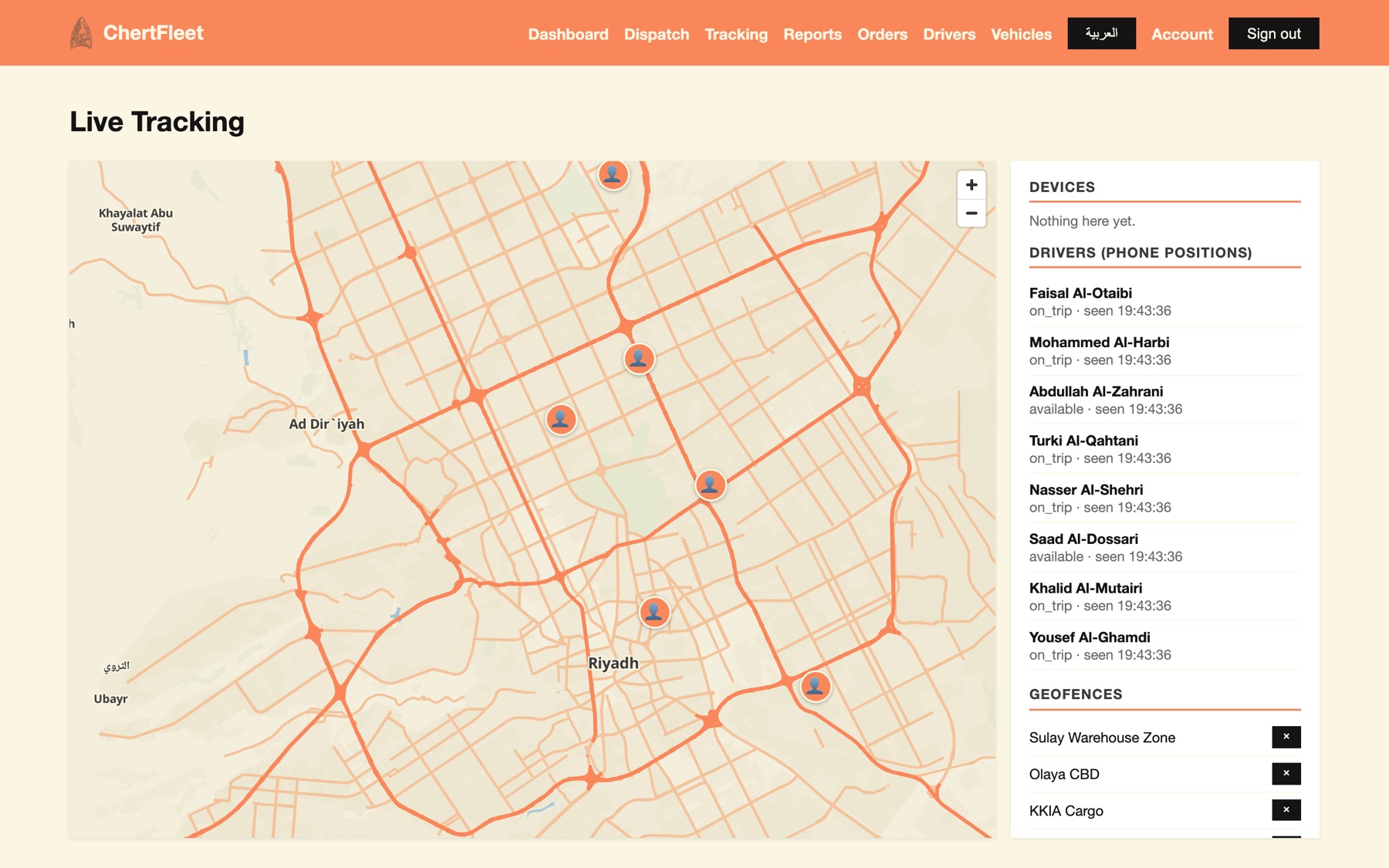
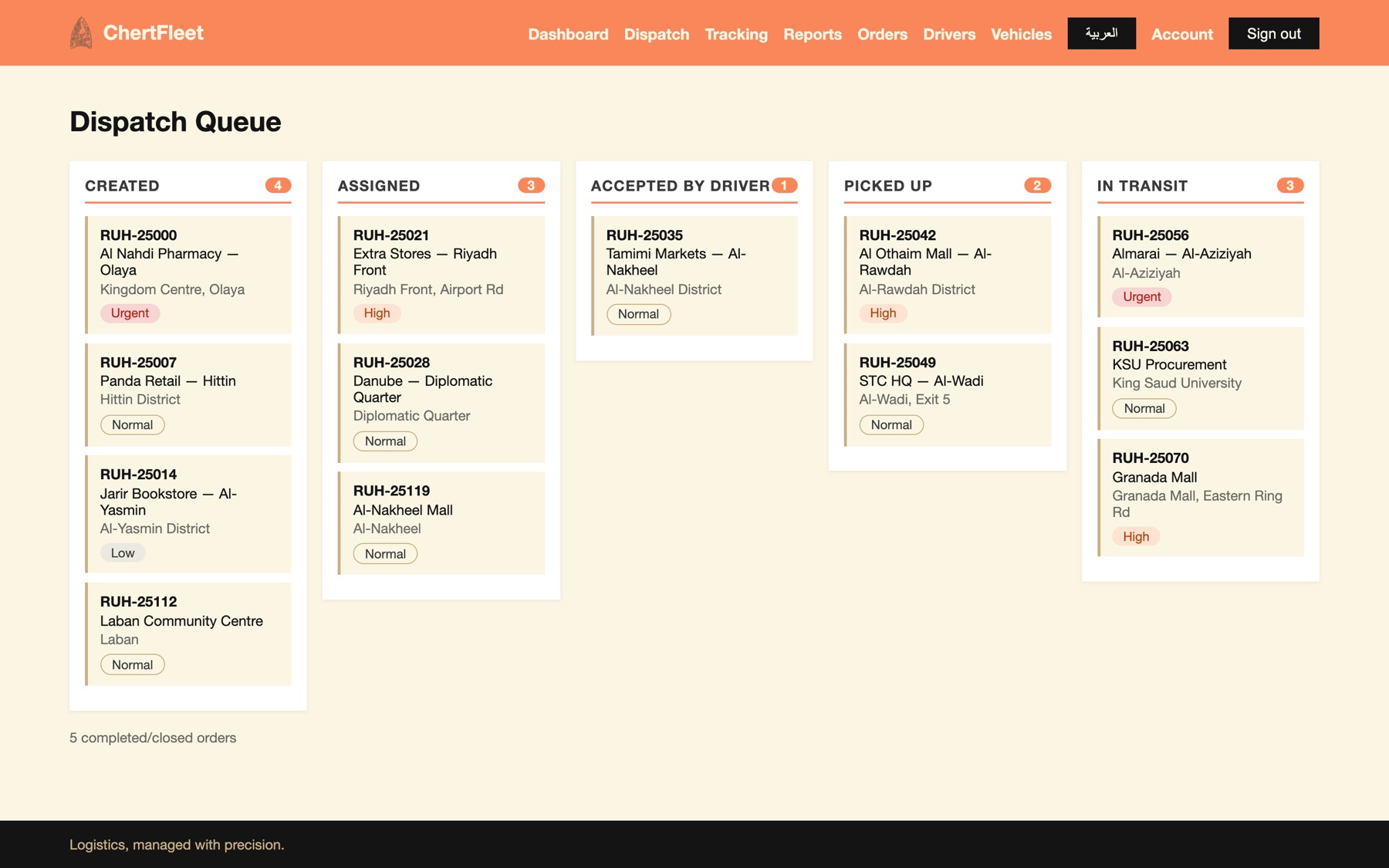
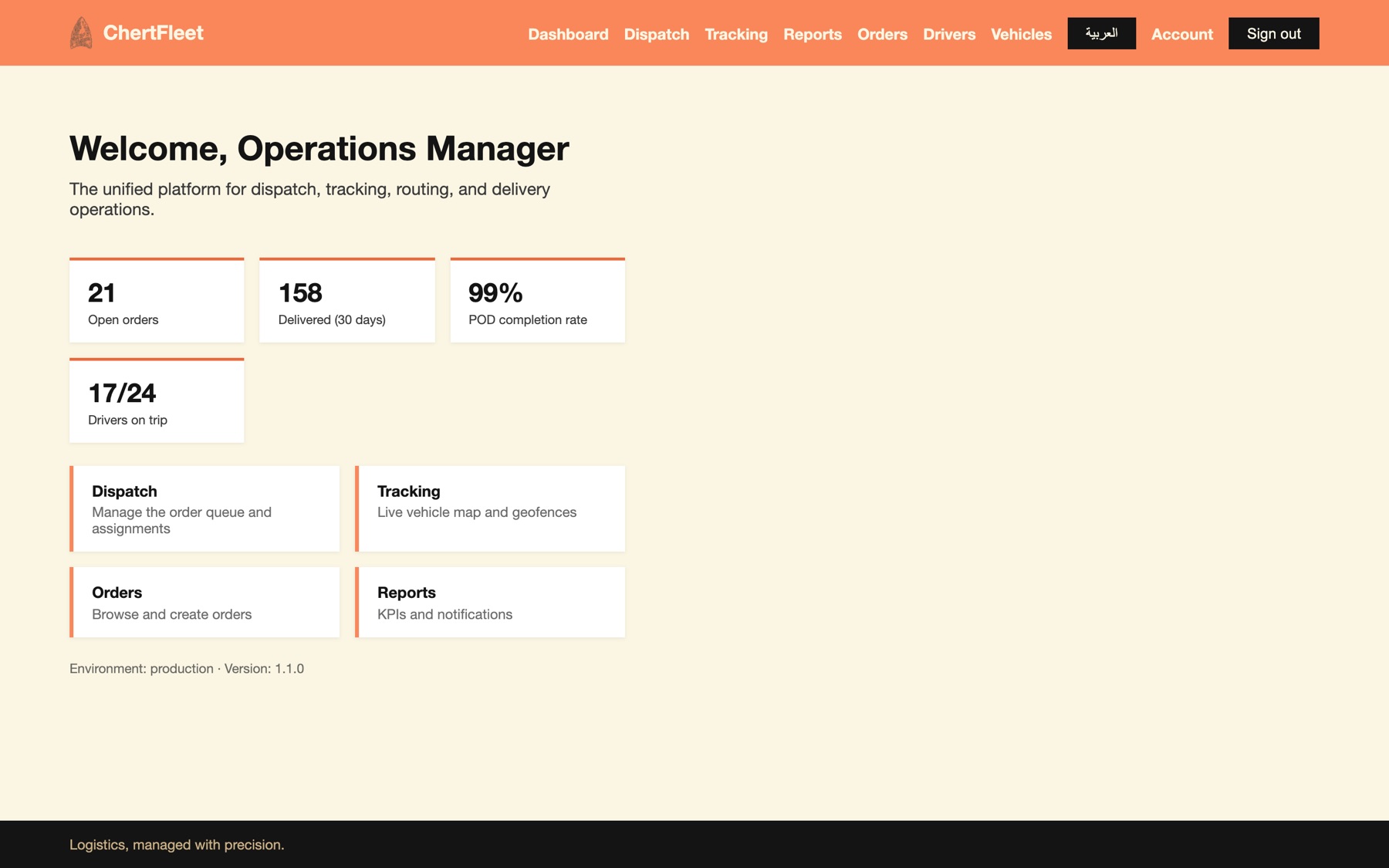
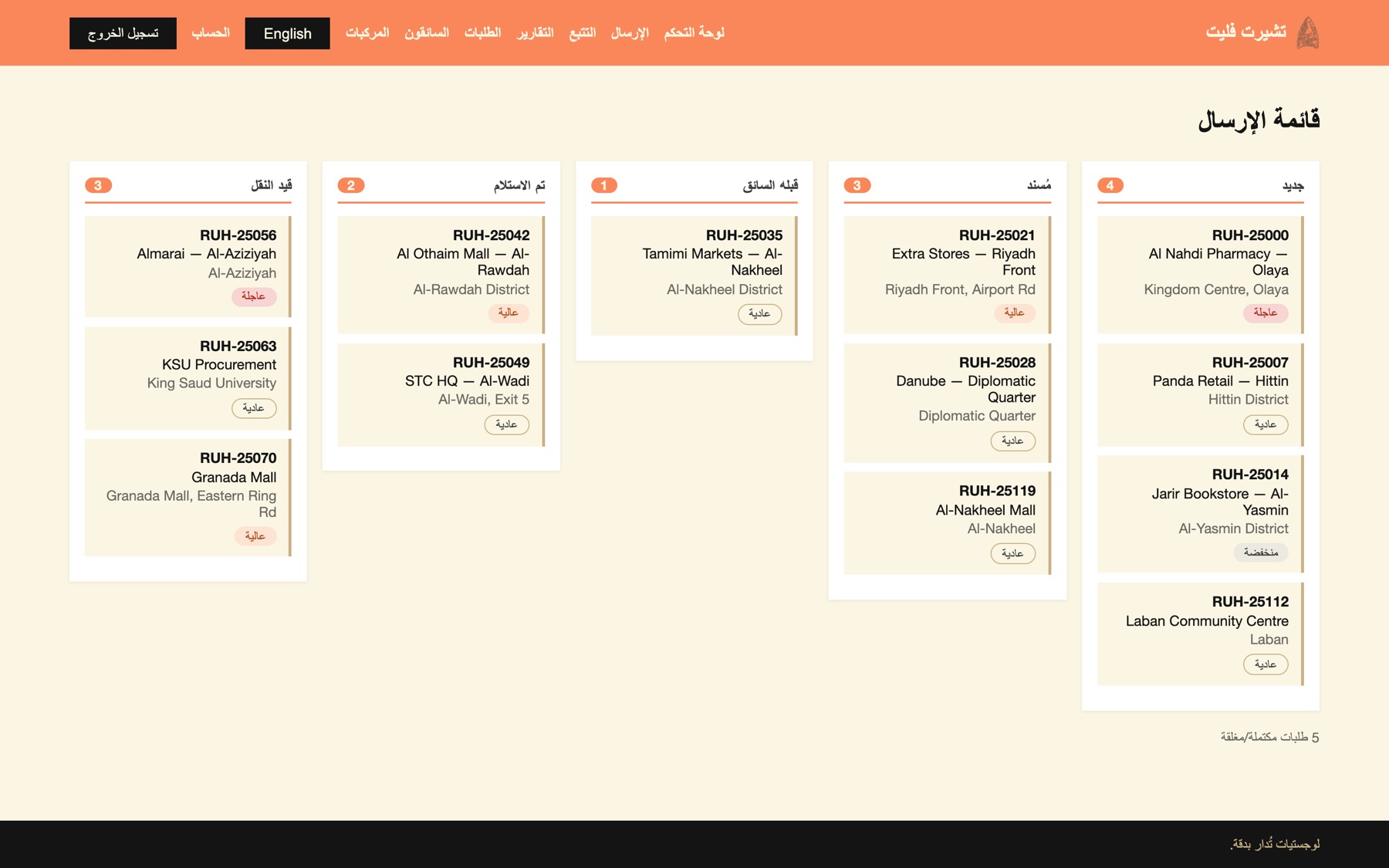
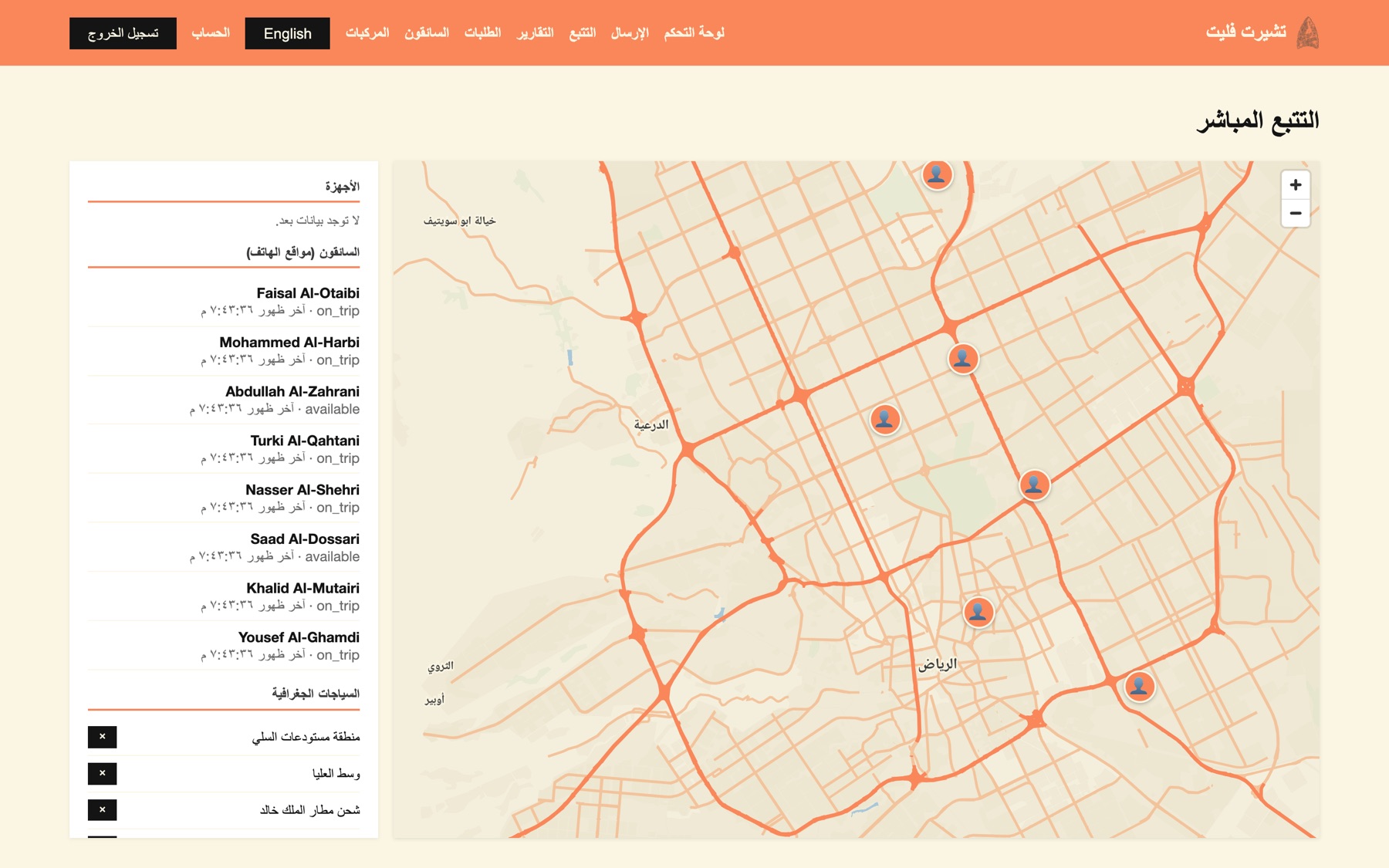
Dispatch board, live tracking, proof review, reports and administration — bilingual, right-to-left in Arabic, on desktop and tablet.
app.chertfleet.comThe driver app
Android and iOS, Arabic and English. Built on the open-source Fleetbase Navigator, connected through one versioned, idempotent gateway.
Android · iOS · Arabic · EnglishDispatch engine · Fleetbase
Receives a one-way mirror of orders, drivers and vehicles. CHERT Fleet stays the system of record; the engine never writes back.
Internal engine · behind an adapterTelematics · Traccar
Vehicle trackers and phone positions in one place, with history, device status and the events behind geofences.
Internal engine · behind an adapterRouting · GraphHopper
Routes, distances and arrival estimates on a Saudi road graph — computed on your servers, with no per-request fees.
Internal engine · behind an adapterMaps · TileServer GL
Branded vector maps of the Kingdom from OpenStreetMap, with Arabic and English labels and no third-party map quota.
Internal engine · behind an adapterInside the platform
Captured from the live console with representative demo data — in both languages.
Why CHERT Fleet
The ERP shipment, the job, the driver's every tap, the proof and the KPI are the same record — nothing to reconcile.
Every screen, notification and report in both languages, with proper Arabic typography and bilingual map labels.
The platform, its engines, maps, routing and backups run on your servers. No per-seat licences, no third-party map quota, your data stays home.
Maps and routing graphs for the Kingdom, SMS through Saudi providers, and the states a Saudi last-mile day actually has.
Exact versions on every driver command, an append-only audit, private proof files and engines that are never exposed to the internet.
Built to sit under CherERP — and equally at home standalone or under any ERP that can send a shipment and take a result.
Tell us how your deliveries move today — we will set up a walkthrough with your routes, your drivers' phones and your ERP documents.